

A WooCommerce store can get its products into ChatGPT in three ways: apply to OpenAI’s merchant program and submit an organic product feed, list the catalog through Shopify’s Agentic plan, or run ChatGPT Ads product campaigns from a feed. Only the third route is open to any store with an ads account today; the first two depend on approval and eligibility. All three run on the same kind of product data, so the catalog work you do once carries over.
As of October 12, 2026. Each section links to the primary source.
| Route | What you get | Who decides access | What you need |
|---|---|---|---|
| OpenAI merchant feed | Organic product results in ChatGPT | OpenAI approves partners | Application, feed by file upload or API |
| Shopify Agentic plan | Organic listings in ChatGPT and other AI channels via Shopify Catalog | Shopify eligibility rules | Products added to Shopify Catalog |
| ChatGPT Ads product campaigns | Labeled ads built from your catalog | OpenAI, through ad account access | Ads account, feed (Hosted URL or SFTP), budget |
If you sell on WooCommerce and want results this quarter, start with the ads route and apply for the organic feed in parallel. The feed you prepare for ads uses the same fields OpenAI asks for in discovery.
Organic and paid are two separate switches
OpenAI documents one product feed format for discovery, ads and checkout. Its reference says to “start with discovery data, then add the fields required for your Ads or checkout integration.” Source: OpenAI, product feed reference
Each product row carries flags that decide where it can be used. Search eligibility is on unless you turn it off:
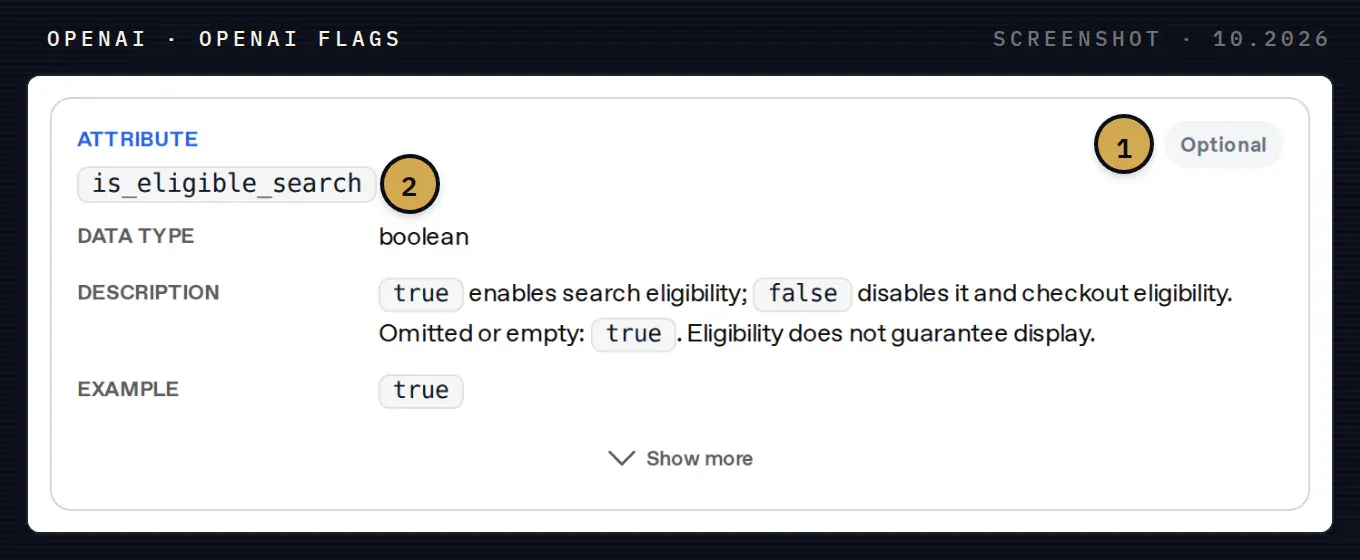
OpenAI flags in the feed reference. 1 The flag is optional. 2 is_eligible_search: when you leave it empty, the product is eligible for search. Eligibility does not guarantee that ChatGPT will show it.
Ads eligibility works the other way round. A product is processed for ads only when is_ads_eligible is true or a feed-level ads default applies, and the reference says this flag is independent of search eligibility:
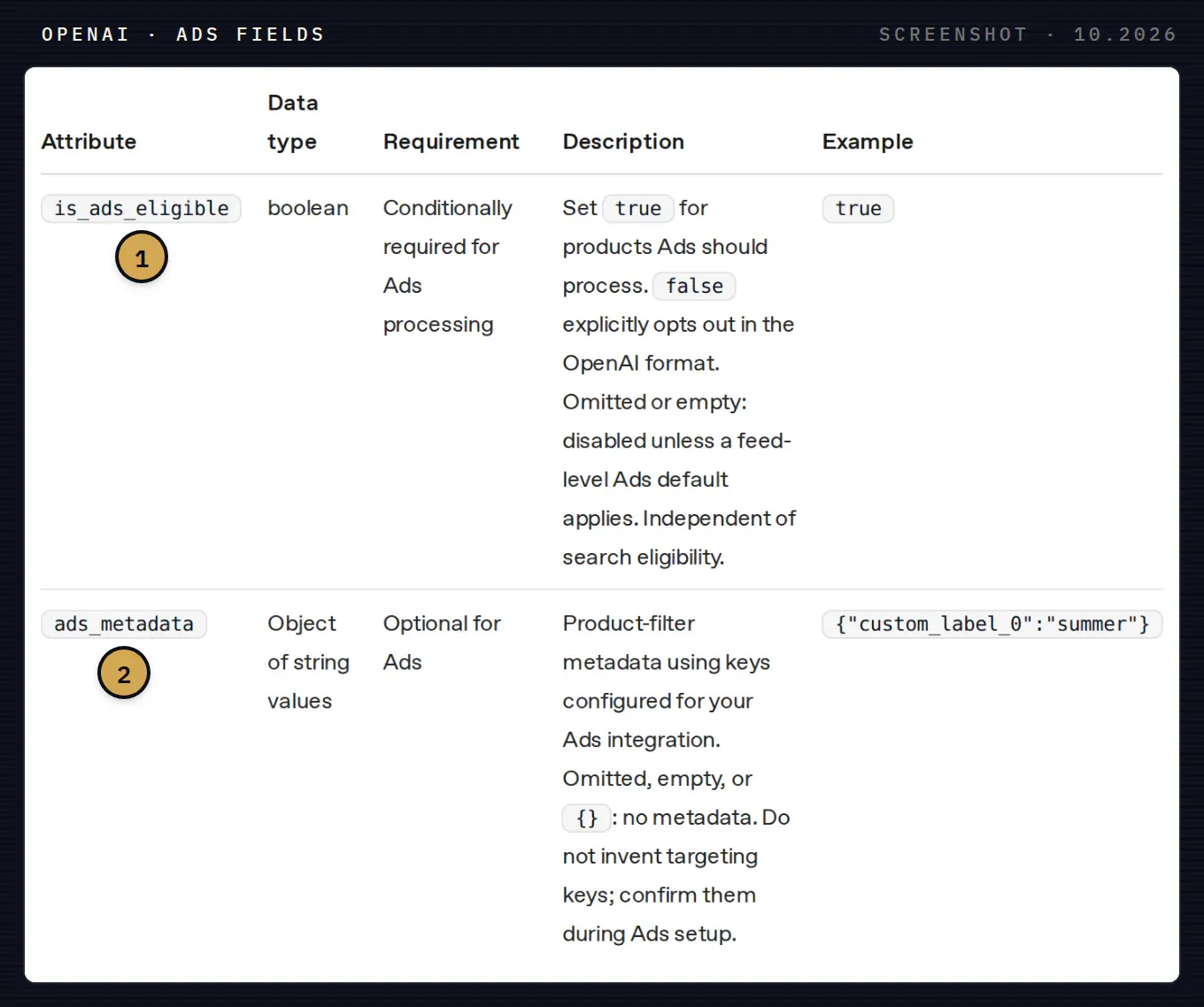
Ads fields in the feed reference. 1 is_ads_eligible switches a product on for ads; empty means off unless the feed sets a default. 2 ads_metadata holds filter keys, such as a seasonal label, that you agree on during ads setup.
The practical consequence: an ads feed does not buy you organic visibility. OpenAI’s help article on product feed campaigns states that products from the ads feed are used for ads and do not appear in organic ChatGPT conversations through it. Source: OpenAI Help, create campaigns from product feeds
What your WooCommerce catalog needs first
Whichever route you take, OpenAI expects one row per purchasable item or variant and nine required fields: item_id, title, description, url, brand, seller_name, image_url, availability and price. The reference asks for a real brand and seller name, “not placeholders”. Source: OpenAI, product feed reference
In WooCommerce, three of these need attention before you export anything:
- Variations. Every variation becomes its own row with its own ID, price and stock. The parent product groups them through
group_id. - Brand. WooCommerce stores keep brand in different places: an attribute, a taxonomy from a plugin, or nowhere. Decide on one source and fill the gaps.
- Availability. Each WooCommerce stock status has to map to one of OpenAI’s values. Anything else rejects the row.
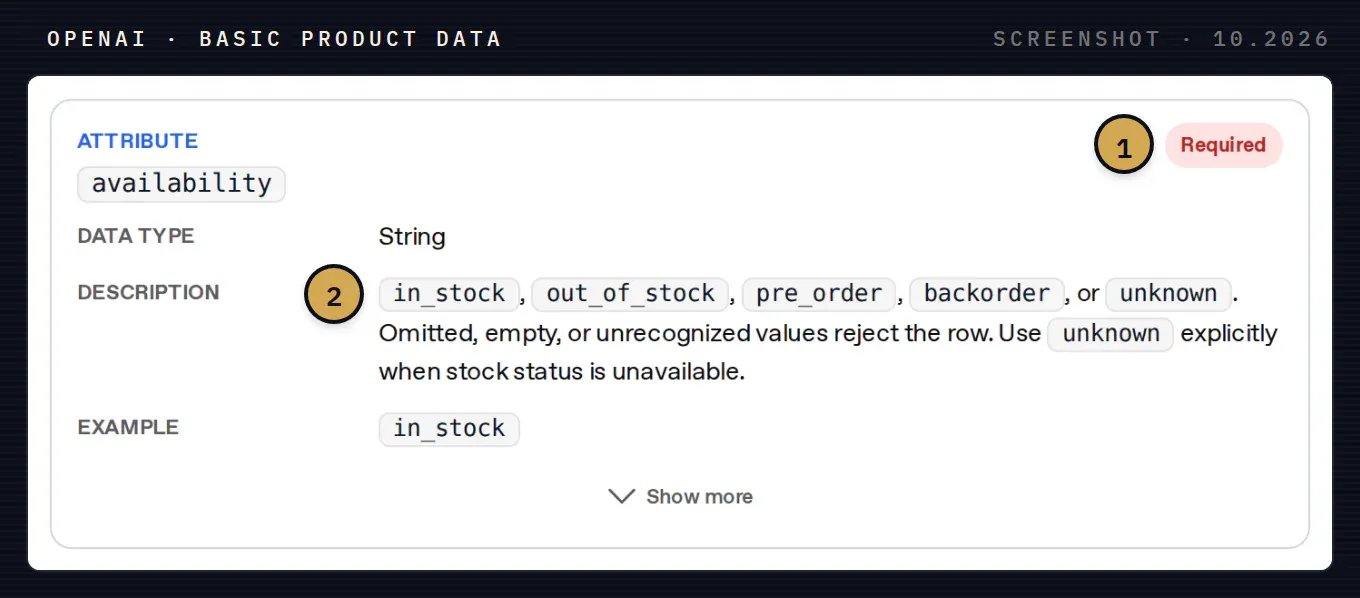
The availability field. 1 Required in every row. 2 The five accepted values. A WooCommerce product “On backorder” maps to backorder; if you do not know the stock, send unknown rather than leaving the field empty.
Identifiers matter too. OpenAI accepts a GTIN of exactly 8, 12, 13 or 14 digits with a valid check digit, and an MPN submitted together with the brand. It asks you not to invent an MPN to replace a missing GTIN. Source: OpenAI, product feed reference
Route 1: OpenAI’s merchant feed for organic results
This is the route most store owners mean when they search for “ChatGPT shopping”. OpenAI’s getting-started guide says: “Onboarding product feeds in ChatGPT is currently available to approved partners.” You apply through the form at chatgpt.com/merchants. Source: OpenAI, Agentic Commerce, get started
Once approved, you deliver the feed by file upload or through the Products API. OpenAI recommends sending the full feed once a day by file and pushing changes during the day through the API. Promotions can only be sent through the API. Supported files are UTF-8 CSV, TSV or TXT, also gzip-compressed. Source: OpenAI, get started, product feed reference
Checkout inside ChatGPT is a separate project. The feed has an is_eligible_checkout flag, but the reference says setting it “does not complete checkout onboarding”: that requires an integration with OpenAI’s Agentic Checkout Spec. Without it, buyers click through to your product page and pay in your WooCommerce checkout. Source: OpenAI, product feed reference
Route 2: Shopify’s Agentic plan without moving your store
Shopify stores are listed in AI channels through Shopify Catalog, and agentic storefronts are active by default for eligible Shopify stores. The channels Shopify names are ChatGPT, Google AI Mode and Gemini, Microsoft Copilot and Meta. In ChatGPT, Shopify describes the flow as discovery: the buyer completes the purchase on your store. Source: Shopify Help Center, agentic storefronts We walk through the settings for each channel in our guide to Shopify agentic storefronts and Shop MCP.
For stores on other platforms, Shopify offers the Agentic plan: you add products to Shopify Catalog and sell through agentic storefronts “without needing to have a Shopify online store”. The plan has no monthly fee; transaction fees apply when a purchase completes through an AI channel’s checkout. Eligibility depends on your business, products, customer location and payment setup. Source: Shopify Help Center, Agentic plan
For a WooCommerce store this means a second catalog to keep in sync. Prices and stock in Shopify Catalog have to follow WooCommerce, or a buyer coming from ChatGPT lands on a product that is no longer available.
Route 3: ChatGPT Ads with a product feed
Product campaigns in ChatGPT Ads are built from a catalog. OpenAI describes the parts in its developer guide: an ad account, a product feed, product sets that filter the catalog by brand, category, price or another attribute, and product ad templates that fill in the title, price and brand from the feed. Source: OpenAI, Ads product feeds
The guide covers delivery over SFTP and a Delta API for price and stock updates, and it notes that feed API access may need enabling by your OpenAI account team. In Ads Manager you can also add a feed as a Hosted URL, which OpenAI fetches from your server. Check whether Ads Manager is available for your business before you start. Source: OpenAI Help, Ads Manager availability
For WooCommerce we publish a free plugin that produces that Hosted URL:
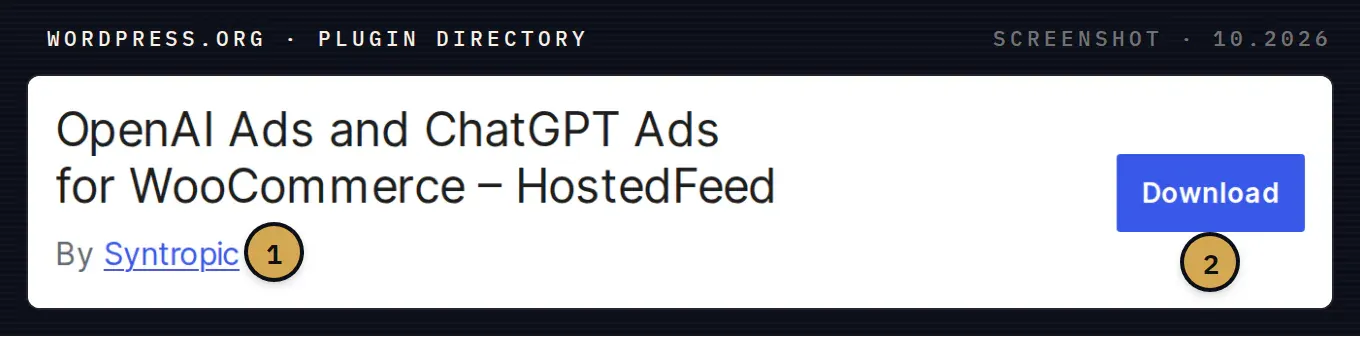
The plugin page on WordPress.org. 1 Published by Syntropic. 2 Download the ZIP here, or search for “HostedFeed” in Plugins › Add New in your WordPress admin.
What the plugin does, per its WordPress.org listing (version 1.1.1, updated October 2, 2026):
- Builds a CSV feed from published simple products and variations, with titles, descriptions, prices, availability, images and brand data.
- Lets you choose which product categories go into the feed and shows how many products are included and excluded.
- Refreshes the feed daily and serves it at a Hosted URL that you add as a product source in OpenAI Ads. You can regenerate it by hand.
- Optionally adds the OpenAI Ads Pixel. The feed contains no customer or order data.
Source: WordPress.org, HostedFeed plugin
After you add the URL, check the upload history in OpenAI. OpenAI’s guide uses it to show whether a file was processed and how many rows were accepted or rejected. A reachable URL and an accepted catalog are two different things. Source: OpenAI, Ads product feeds
Which route to start with
- You want sales from ChatGPT this quarter: run ChatGPT Ads from a feed, on a few categories with clean data, and measure purchases before widening the catalog.
- You want organic visibility: apply at chatgpt.com/merchants now, because approval is out of your hands. Fix brand, GTIN and availability gaps while you wait.
- You already think about leaving WooCommerce or run several platforms: compare Shopify’s Agentic plan, and count the cost of keeping a second catalog in sync.
- You want buyers to pay inside ChatGPT: plan the checkout integration as a separate project after discovery works.
The same catalog cleanup serves all four. If titles, brands, identifiers and stock statuses are right in WooCommerce, every feed built from it starts in better shape.
How Syntropic helps
We built HostedFeed for ChatGPT Ads on WooCommerce and set it up with stores that want to test the channel: plugin, category selection, feed checks against OpenAI’s spec, Pixel and consent, and the first product campaign. When the goal is checkout inside AI assistants, our agentic commerce work covers the protocols behind it. For how assistants search a catalog once the data is in, see our article on hybrid retrieval for product search.
Book a call and bring your catalog: we will tell you which route fits and what the feed needs first.